

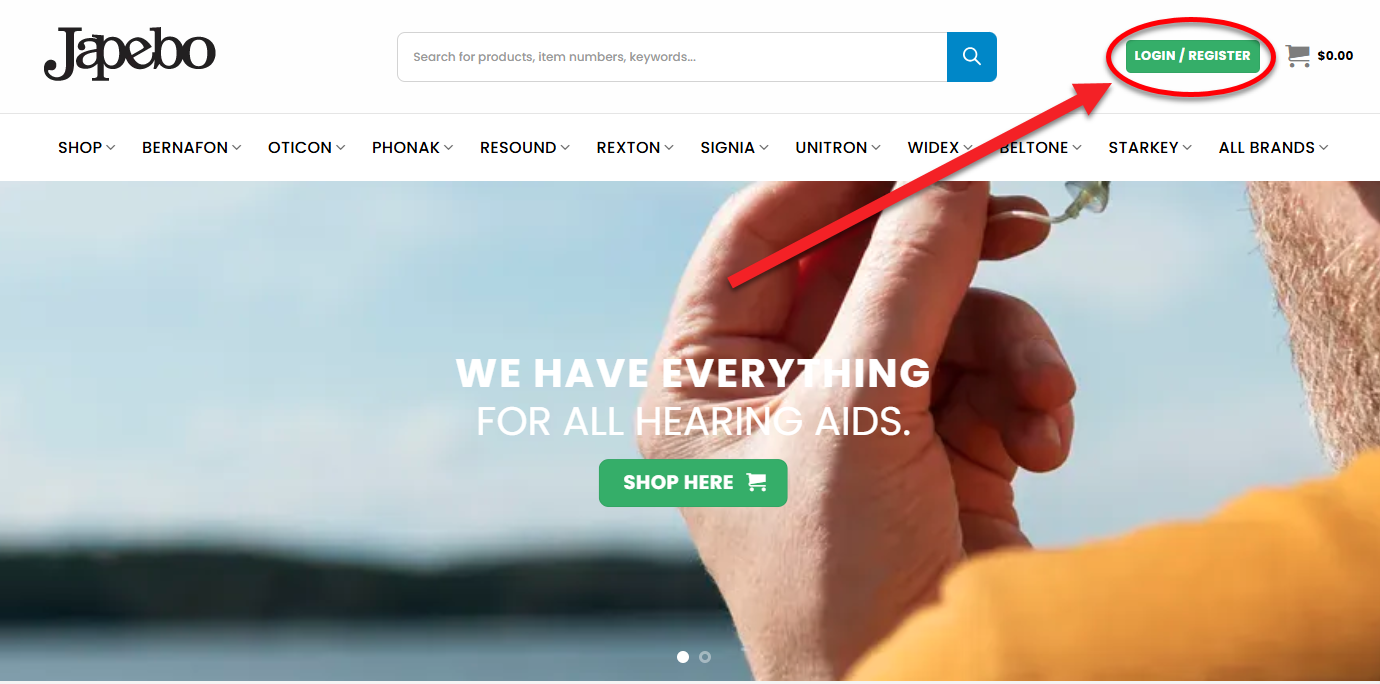
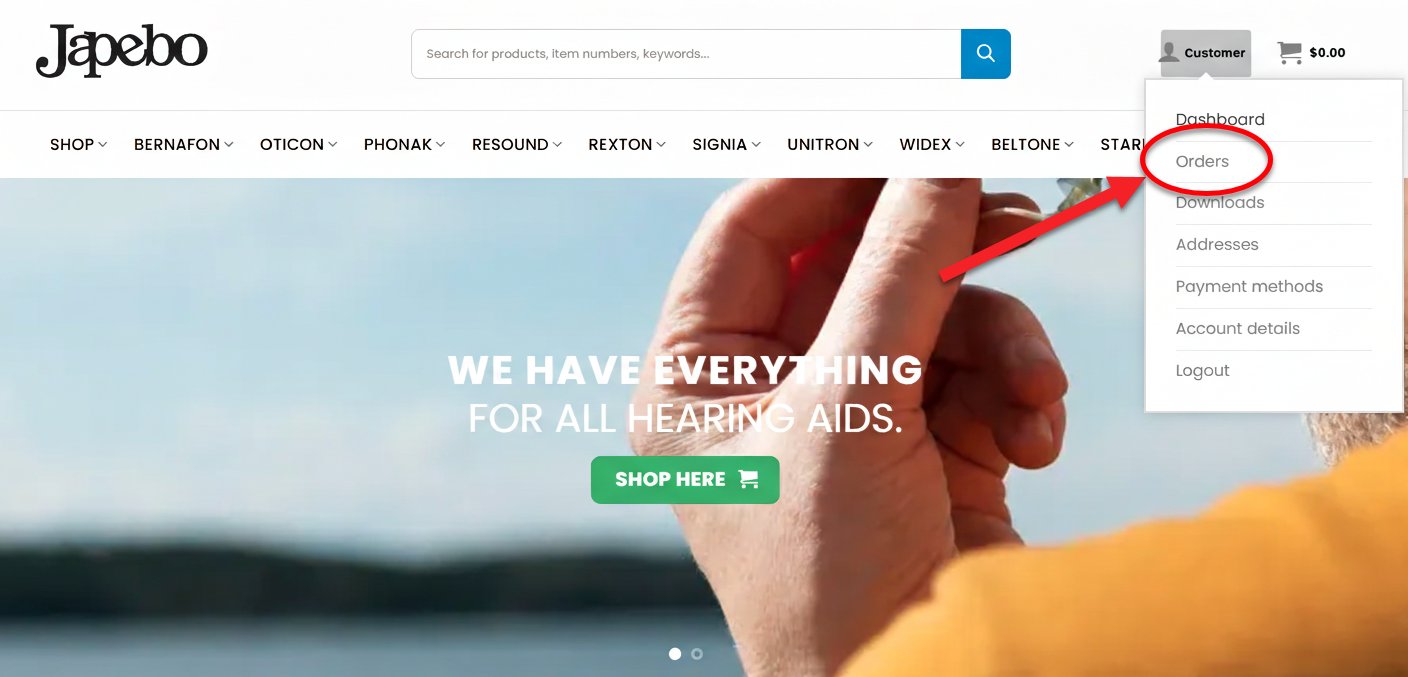
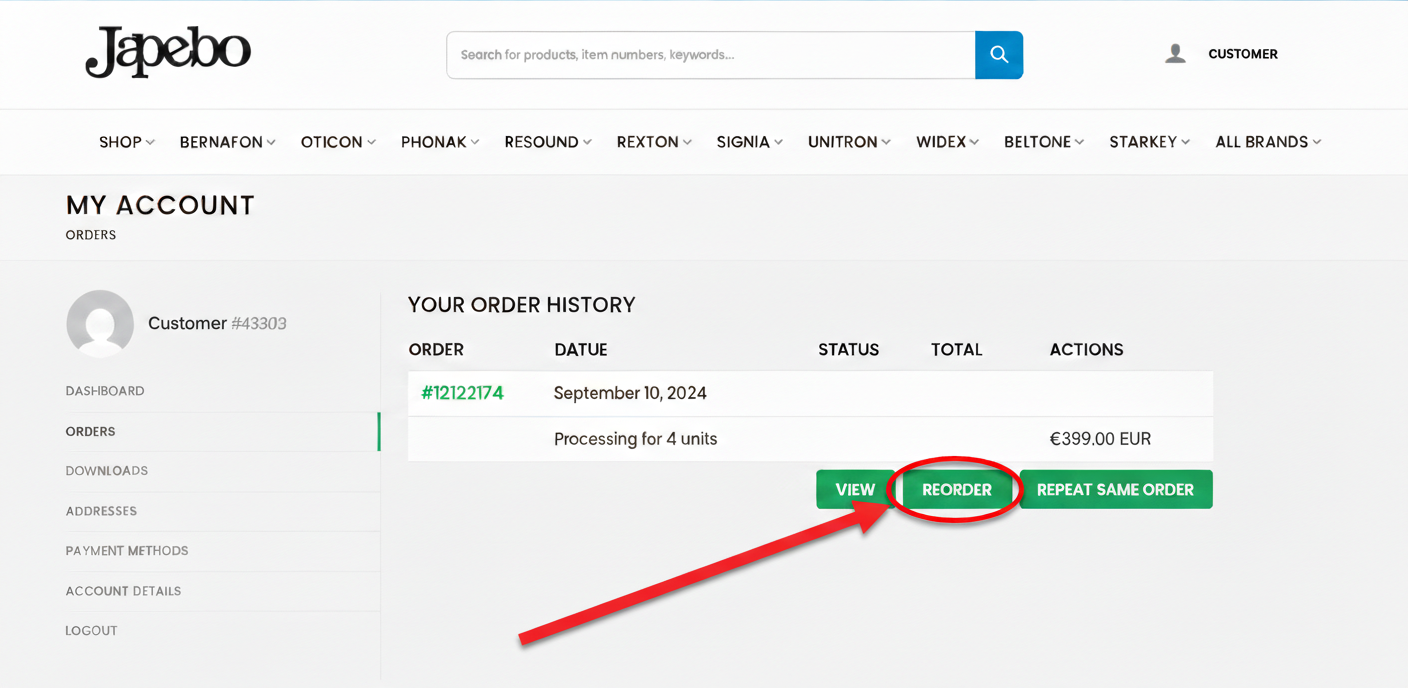
You can easily reorder a previous purchase using our reorder feature. Once you’re logged in to Japebo.ie, go to My Account → Orders to view your order history and reorder in just a few clicks.
Forgot your login details? You can reset your password here: “Lost your password?” Once your order has been placed, you will receive an order confirmation email with the details.Reorder Your Previous Order

5 reasons to reorder
How it works
1. Log in to Japebo.ie with your email address and password
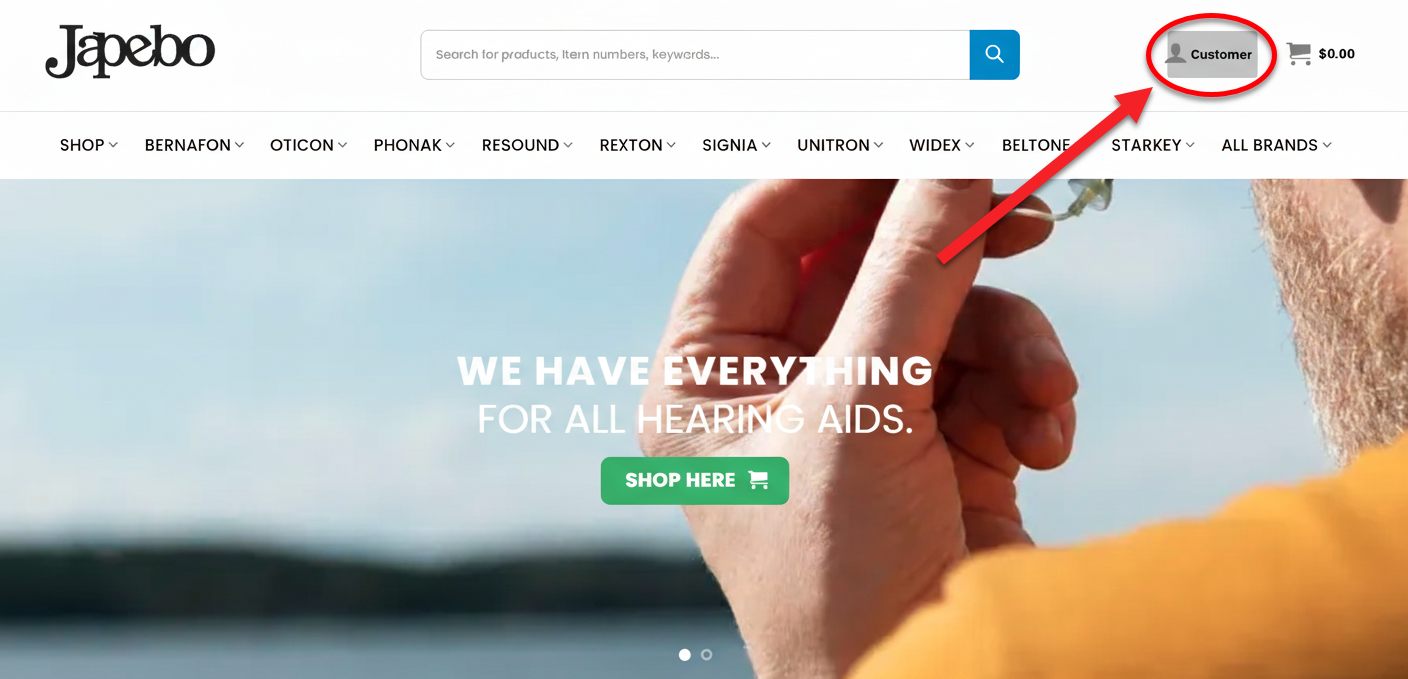
2. Click your username in the top right corner
3. Go to “Orders”
4. Click “Reorder”
5. Proceed to checkout and complete your order

Need help reordering?
If you have any issues reordering a previous purchase, feel free to contact us — we’ll be happy to help.